
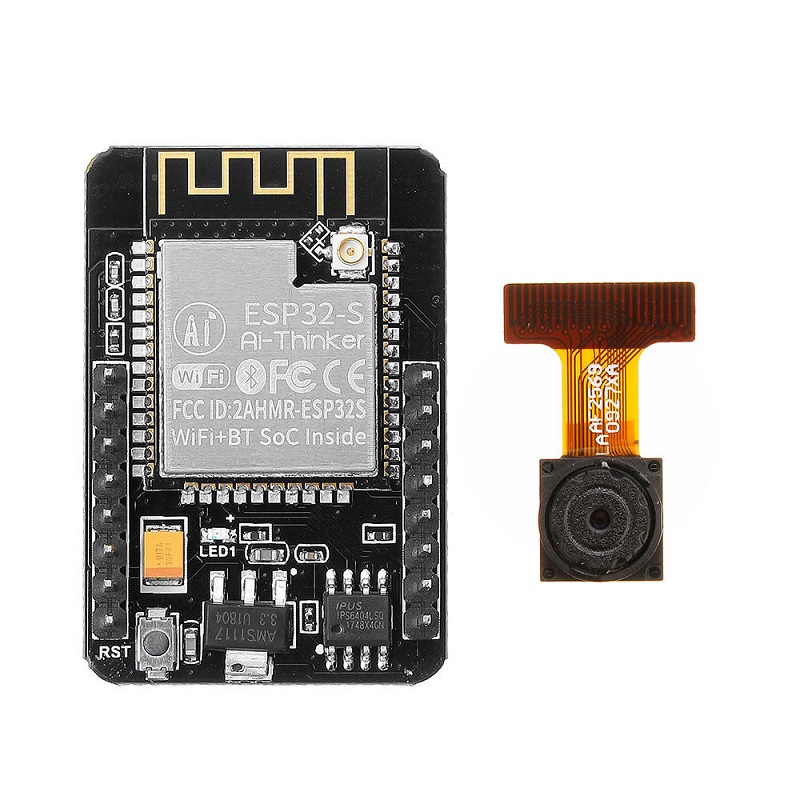
Ai Thinker ESP32 CAM Development Board WiFi+Bluetooth with AF2569 Camera Module

Ask Our AI Assistant

Product Image
Working Principle

Description

The Ai-Thinker ESP32 CAM Development Board is a Wi-Fi and Bluetooth module with a built-in camera. It features a low-power dual-core 32-bit CPU for application processors and supports various interfaces such as UART, SPI, I2C, PWM, ADC, and DAC. The board supports OV2640 and OV7670 cameras with built-in flash, allowing for image capture and Wi-Fi upload. It also supports TF cards, multiple sleep modes, and comes with embedded Lwip and FreeRTOS for efficient operation.

Sensor Types

Camera

Wi-Fi

Bluetooth

Dos And Donts

Donts

  • Do Not Change Any Configuration Settings In The Tools Menu: To avoid potential errors during setup

Dos

  • Copy-Paste The Stable Link Provided In The Preference Section Of The File Menu: https://raw.githubusercontent.com/espressif/arduino-esp32/gh-pages/package_esp32_index.json,
  • Select The Correct Com Port And Press The Reset Button On The Module While Uploading Code: To ensure successful code uploading
Limits

Operating Temperature

  • Min: -20°C,
  • Max: 80°C
How To Connect

Setup Instructions

  • Step 1: Install ESP32 board in Boards Manager,
  • Step 2: Select 'AI Thinker ESP32-CAM' in Tools menu,
  • Step 3: Open CameraWebServer example under File->Examples,
  • Step 4: Compile and Upload code, press Reset Button on module during upload,
  • Step 5: Remove GPIO0-GND jumper cable after upload, press Reset Button again,
  • Step 6: Access camera functions via IP address in browser
Dimensions

Height (Mm)

5

Length (Mm)

41

Weight (G)

8

Width (Mm)

27